Software
School Management System in Pakistan: How It Works and Key Modules
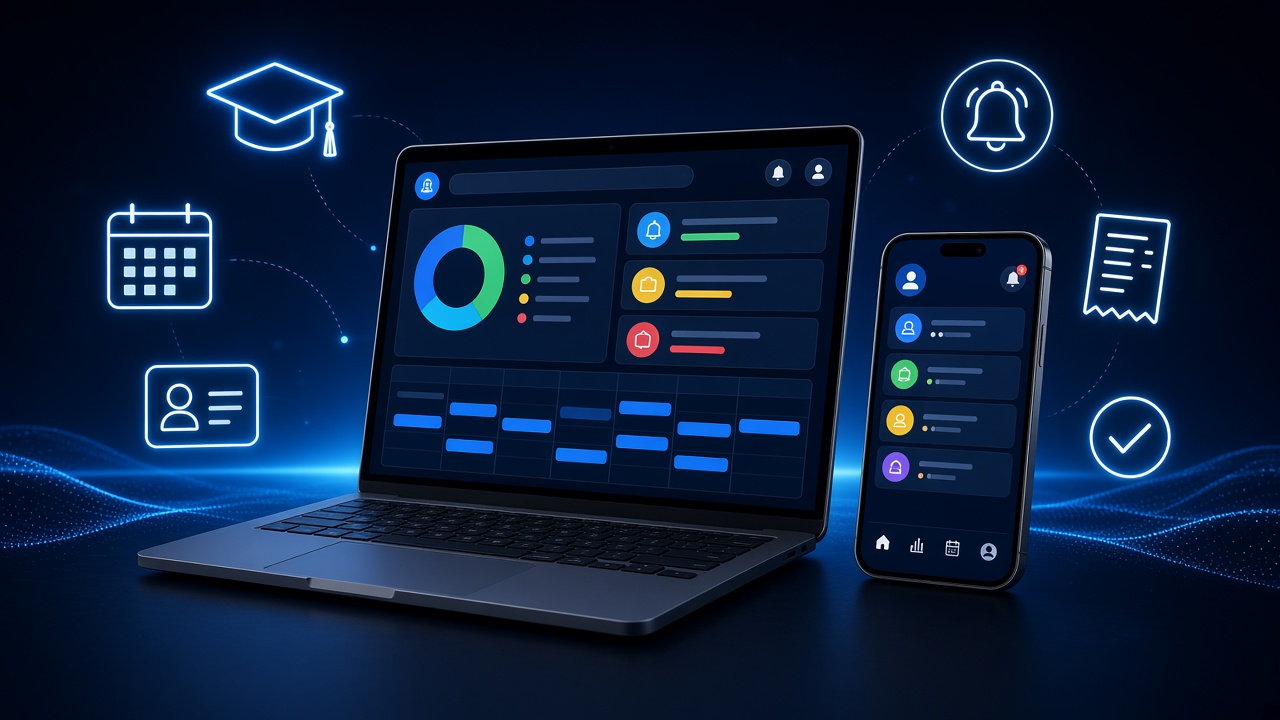
Most schools in Pakistan still run on a mix of registers, spreadsheets, fee books and WhatsApp groups. That works until the school grows: a second campus opens, fee defaulters become hard to track, and result cards take a week of staff time each term. A school management system brings these jobs into one place. This guide explains what it is, how it works and which modules matter most.
What is a school management system?
A school management system is software that stores a school’s academic and administrative records in one database and lets different people use them through their own screens. The admin office handles admissions and fees, teachers mark attendance and enter marks, and parents check their child’s progress, all from the same up-to-date data.
It usually has three parts:
- A web portal for the office, principal and teachers, used on a desktop or laptop.
- A mobile app for parents, students and teachers on the move.
- A central database on a server or in the cloud that keeps everything in sync.
How a school management system works
Think of it as one record per student that every department adds to:
- Admission creates the student record: personal details, guardian contacts, class and section, and fee plan.
- Daily activity adds to it: attendance, homework, test marks and discipline notes.
- Finance links to it: fee vouchers are generated from the fee plan, payments are recorded, and dues roll forward automatically.
- Reports read from it: result cards, defaulter lists, attendance summaries and campus-wise income.
Because each fact is entered once, there is no re-typing between departments, and the principal sees the same numbers the accounts office sees.
Core modules and features
Admissions and student records
Online or front-desk admission forms, document uploads such as B-Form copies and previous school certificates, roll numbers, class allocation, sibling linking and student ID cards.
Fee management
This is usually the module schools in Pakistan care about most. Useful features include:
- Class-wise and student-wise fee structures, with sibling and staff-child discounts.
- Bulk monthly voucher generation with due dates and late-fee rules.
- Recording payments by cash, bank deposit or digital transfer.
- Defaulter lists and automatic reminders to parents by SMS or app notification.
- Daily collection reports per campus.
Attendance
Teachers mark attendance on a phone or tablet in a few taps. Parents can be notified when a child is absent, and monthly attendance feeds directly into result cards. Staff attendance can be linked to biometric devices.
Examinations and result cards
Exam schedules, marks entry by subject teachers, automatic grading to the school’s own scheme, position calculation and printable or downloadable result cards. Doing this term after term is where schools save the most staff hours.
Timetable and academics
Class timetables, teacher workloads, syllabus plans, homework and diary entries that parents can see the same day.
Parent and student app
A mobile app gives parents fee dues, attendance, homework, results and school notices in one place. This cuts down phone calls to the office and the need for a separate class WhatsApp group.
HR and payroll
Staff records, leave, salary sheets and deductions. Some schools connect this to their accounts so salaries post automatically.
Accounts, inventory and transport
Larger schools often need income and expense ledgers, stock for books and uniforms, and transport routes with van fees. At this point the system starts to look like an ERP, and it helps if the modules share one database rather than being separate tools.
Online fee payments
Parents increasingly want to pay fees without visiting a bank. The State Bank of Pakistan’s Raast Person-to-Merchant scheme supports payments through an interoperable QR code standard, and SBP lists online purchases and bill payments among its use cases (SBP, Raast P2M). SBP has also directed regulated entities to enable billers to accept payments through Raast Request-to-Pay (SBP Circular No. 04 of 2023).
For a school, the practical point is this: the system should generate a unique reference for each voucher, receive payment confirmation from the school’s bank or payment provider, and mark the voucher paid automatically, so the accounts team isn’t reconciling bank statements by hand.
Cloud, offline or both?
Searches for “offline school management software” show that internet reliability is a real concern. There are three common setups:
- Cloud-based: accessible from any campus and from parents’ phones, with central backups. It needs a stable connection at the office.
- Offline (local server): works without internet, but parent apps and multi-campus reporting are limited, and backups are the school’s responsibility.
- Hybrid: screens keep working offline and sync when the connection returns. It’s more complex to build, but it suits areas with frequent outages.
Getting started without disrupting the school
- Start with fees and student records. They give the quickest return, and every other module depends on them.
- Clean your data first. Duplicate student names, missing guardian numbers and old fee balances cause most problems at launch.
- Go live at the start of a term or month, so balances carry over cleanly.
- Train each role separately. Teachers only need attendance and marks; the accounts office needs fee screens and reports.
- Add modules in phases: exams next, then the parent app, then HR and transport.
A custom web application is worth considering when your fee rules, grading scheme or campus structure don’t fit ready-made templates.
Frequently asked questions
What is a school management system?
It is software that keeps a school’s student records, fees, attendance, exams and staff data in one system, with separate access for the office, teachers and parents.
How does a school management system work?
Each student has one central record. Admissions creates it, teachers and the accounts office add to it, and reports and parent apps read from it in real time.
What are the main features of a school management system?
Admissions, fee management, attendance, exams and result cards, timetables, a parent app, HR and payroll, and reports.
What modules does a school management system have?
Common modules are student information, fees, attendance, examinations, academics, communication, HR and payroll, accounts, inventory and transport.
Can school management software work offline?
Yes. Offline and hybrid setups are possible. Hybrid systems keep working without internet and sync later, which suits areas with unreliable connectivity.

Planning a software project?
Tell us what your school or business needs and our team will suggest the right web, mobile, ERP or AI solution.
Talk to our team